


Quick Summary
To check takeaway menu prices in Sheffield, open each restaurant’s own website or official ordering page, since these are usually the most current. Enter your postcode, compare the same dishes across several menus, and then compare the final checkout total including delivery and fees.
- Treat screenshots and PDF menus as possibly out of date; check the live menu before ordering.
- Compare a chicken tikka masala across restaurants as a benchmark dish, since most Sheffield Indian menus include it.
- Enter your postcode before comparing, because delivery areas and charges can depend on where you live.
- Compare the total at checkout, not the subtotal, since delivery fees and service charges can change the ranking.
- A restaurant with a higher curry price but free delivery over a set spend can end up cheaper overall.
Table of Contents
- Why Menu Prices Vary Across Sheffield Indian Takeaways
- Step 1: Find Current Menus on Official Sites and Ordering Platforms
- Step 2: Compare Dish Prices Across Several Menus
- Step 3: Work Out the Full Checkout Cost, Including Delivery and Fees
- Step 4: Check Meal Deals, Set Menus and Discounts
- Common Mistakes When Comparing Takeaway Prices
- Placing Your Order With Confidence at Mezwaani
- Frequently Asked Questions
Why Menu Prices Vary Across Sheffield Indian Takeaways
Last Updated: November 14, 2026
If you have ever compared two Indian takeaways on the same street and found different prices for the same chicken tikka masala, you are not imagining things, and checking takeaway menu prices across restaurants is the best way to see the real gap. Menu prices shift between restaurants for reasons that have little to do with quality alone. Knowing those reasons makes it far easier to check how to check Indian takeaway menu prices in Sheffield without being misled by a headline figure.
Some of the variation comes down to portion size, ingredient sourcing and kitchen overheads. Some of it comes down to the ordering channel. A dish listed on a restaurant’s own website may not match the price shown on a third-party delivery app, which often adds its own markup. Menus also change seasonally, and a price you noted a few months ago may no longer apply.
Watch out: a menu saved as a screenshot or a photo can be months out of date. Always check the live menu before you decide.
Step 1: Find Current Menus on Official Sites and Ordering Platforms
Start with the restaurant’s own website or its official page on an ordering platform. Restaurants that take direct orders usually keep their menus current, because they set the prices themselves. Look for a date or “last updated” note, and check the menu against the restaurant’s ordering page before you rely on it.
Third-party listings can lag behind. Compare what you see on the platform with what appears on the restaurant’s own site. If the two disagree, trust the restaurant’s own menu and confirm the price at checkout.
How to tell whether a Sheffield menu is actually current
A menu is only useful if it reflects today’s prices. In Sheffield, most Indian takeaways publish their menu in one of four places, and each has a different refresh cycle:
- The restaurant’s own website. Usually the most current, because the owner edits it directly. Check the footer or menu page for a “last updated” line; if there is none, look for seasonal dishes (for example, a winter special) as a rough date signal.
- A branded ordering page linked from the restaurant’s site. This is often powered by a white-label ordering system, so the prices should match the website. If they do not, the website is usually the stale copy.
- A large third-party delivery app. These can lag by days or weeks, and some add a markup to cover commission. Treat the app price as a ceiling, not the true menu price.
- A PDF or photographed menu. The riskiest format. A PDF uploaded two years ago will still open perfectly, so never assume it is current just because the link works.
A practical check: open the restaurant’s own site and the delivery app side by side on the same phone, search for the same dish (a chicken tikka masala is a good benchmark because it appears on almost every Sheffield Indian menu), and compare. If the app is higher, you have found a channel markup. If the app is lower, you have probably found a promotion, check the terms before you rely on it.
Sheffield postcode gating
Some takeaways only deliver to certain postcodes, and the menu you see can change once you enter your postcode. Before you compare prices, enter your postcode on each site so you are looking at the menu and delivery fee that actually apply to your address. Delivery areas and charges can differ by postcode, so check before you compare.
Watch out: a menu saved as a screenshot or a photo can be months out of date, and a PDF can be years old, always check the live menu on the restaurant’s own site before you decide.
Step 2: Compare Dish Prices Across Several Menus
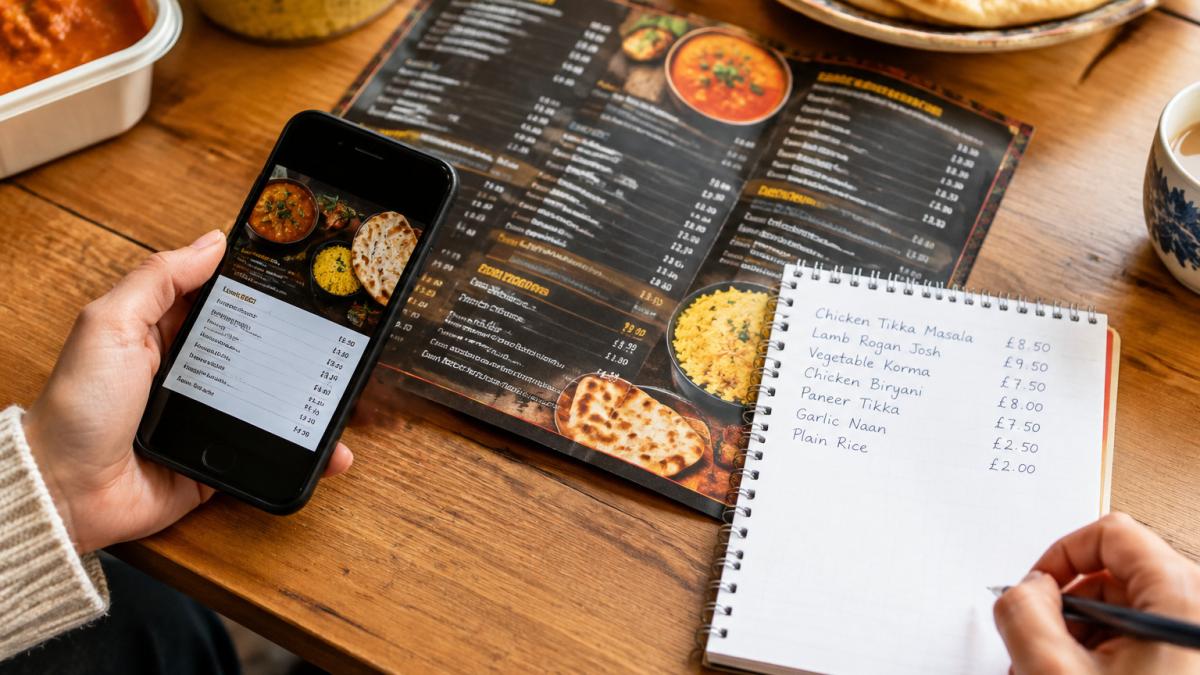
Pick three or four dishes you order regularly, such as a chicken curry, a vegetable side and a naan. Record each price in a simple list, one column per restaurant. Comparing the same dishes keeps the exercise fair.
Pay attention to portion descriptions. A “large” curry at one restaurant may be smaller than the “regular” at another. Where menus give weights or serving sizes, note them so you compare like with like.
Step 3: Work Out the Full Checkout Cost, Including Delivery and Fees
The menu price is rarely what you pay. Comparing the full checkout totals on the same basis makes those trade-offs clearer, and Fiftyeighteen offers another perspective on weighing online prices.
Enter your postcode before you finalise the basket, as delivery areas and charges can depend on where you live. Compare the total at checkout, not the subtotal.
For a full picture of delivery options in the city, see our guide to how to order Indian food delivery in Sheffield centre. You can also review how to order Indian takeaway online in Sheffield for a step-by-step walkthrough of checkout.
Build a true comparison total
The only fair comparison is the amount you would actually pay for the same meal, delivered to the same Sheffield address, at the same time. Work through the basket in this order and write down each figure:
- Item subtotal. The sum of the dishes you actually want, not the headline price of one curry.
- Delivery fee. This can be a flat charge, a distance-based charge, or free above a threshold. Note the threshold, a £2.50 delivery fee on a £22 order may disappear at £25, which changes the maths.
- Service charge or platform fee. Some ordering platforms add a small percentage or a flat fee at checkout. It is easy to miss because it appears late.
- Minimum order value. If the minimum is £15 and your basket is £12, you will either add a side you did not want or abandon the order. Either way, the effective price per dish rises.
- Small-order fee. Some restaurants or platforms add a charge when the basket is below a set amount. Check the basket summary before paying.
- Discount or code. Subtract only what actually applies to your order, delivery included.
The final figure, subtotal plus fees minus discounts, is the number to compare across restaurants. A restaurant with a £1 higher curry but free delivery over £20 can beat a cheaper menu once fees are added.
Compare channels, not just restaurants
The same Sheffield Indian takeaway can charge different totals depending on how you order:
- Direct on the restaurant’s own site or by phone. Often the lowest item prices, because there is no platform commission, but delivery fees and minimums vary.
- A third-party delivery app. Convenient, but item prices may be marked up and a service fee added. The app may also run promotions the restaurant does not offer directly.
- Collection. Usually removes the delivery fee entirely and can be the cheapest option if you are close to the restaurant, for example in Sheffield city centre.
A common pattern is that the app looks cheaper on the dish price but costs more at checkout once the service fee is added, while the direct order looks pricier per dish but wins on the total. Check both before you commit.
Compare value, not just price
Two £9.95 curries are not the same if one includes rice and the other does not, or if one is a smaller portion. When you compare, note what comes with each dish, rice, naan, salad, poppadoms, and whether the portion is described by weight or serving size.
Watch out: comparing subtotals rather than checkout totals is the most common mistake, delivery fees, service charges and minimum orders can reverse the ranking entirely, so always compare the final amount you would pay.
The menu price is rarely what you pay, so the checkout steps below are worth comparing side by side.
| Checkout item | What to check | Why it matters |
|---|---|---|
| Item subtotal | Sum of the dishes you want | Not the headline price of one curry |
| Delivery fee | Flat, distance-based or free above a threshold | Can change the ranking between restaurants |
| Service or platform fee | Percentage or flat fee at checkout | Often appears late and is easy to miss |
| Minimum order value | Basket must reach the set amount | Can force extra items or abandoned orders |
| Small-order fee | Charge for baskets below a set amount | Raises the effective price per dish |
| Discount or code | Whether it covers food and delivery | Only subtract what actually applies |
Step 4: Check Meal Deals, Set Menus and Discounts
Meal deals and set menus can offer better value than ordering dishes separately, but only if you need what is included. Read what each set contains, including starters, rice, naan and drinks, and compare it against your usual order.
Discount codes and promotions often appear on ordering platforms or in a restaurant’s email updates. Check whether a code applies to delivery as well as food, and whether it has a minimum spend.
Common Mistakes When Comparing Takeaway Prices
A common mistake is comparing menu prices without checking the final total. Delivery fees and service charges can change the ranking entirely.
Another is relying on an old screenshot. Prices change, so check the live menu on the day you order.
People also often ignore portion size and dish descriptions. A cheaper curry with less meat may not be better value. If you are choosing a restaurant for a family or group, compare what each order actually feeds.
For a local perspective on picking a restaurant beyond price, read our guide to finding the right Indian curry restaurant in Sheffield.
Placing Your Order With Confidence at Mezwaani
Once you have compared the options, place your order when you are ready.
Mezwaani brings the flavours of India together with a modern twist, and you can review current items before you choose. Take a moment to confirm the final price at checkout.
To order quickly once you know what you want, follow our guide to how to order hot Indian takeaway.
Checking prices across several menus takes a few minutes, and it can save you more than the menu price suggests.
Frequently Asked Questions
How can I check Indian takeaway menu prices in Sheffield?
Start with the restaurant’s own website or its official ordering page, since these usually show the most direct prices. Then open the same restaurant on one or two delivery apps and note the dish prices side by side. Write down the price of the same item on each site, including any listed extras such as rice or naan. If a price differs, check the date on the menu and the last time it was updated. Repeat the check for two or three restaurants so you have a fair comparison before ordering.
Are takeaway prices the same on restaurant websites and delivery apps?
Not always. Delivery platforms often add their own service charges or mark up dish prices, so the same curry can cost more than it does on the restaurant’s website. Some restaurants also offer collection discounts or online-only deals that do not appear on third-party apps. Compare the item price first, then the total at checkout, because the final figure is what matters when you are deciding where to order.
How do I confirm that an online menu is up to date?
Look for a last-updated date, check that the menu matches the one shown on the restaurant’s social media or in-store menu if you can, and confirm that prices on the ordering page match those shown at the final checkout step. If an item shows as unavailable or a price looks out of line with others on the same menu, call the restaurant directly before placing your order. Menus change, so treat any price you saw more than a few weeks ago as provisional.
